
Digital vision boards
Digital vision boards
Portable, editable and close to the life you are actually changing, with one trade-off worth understanding first.
See pricing and trial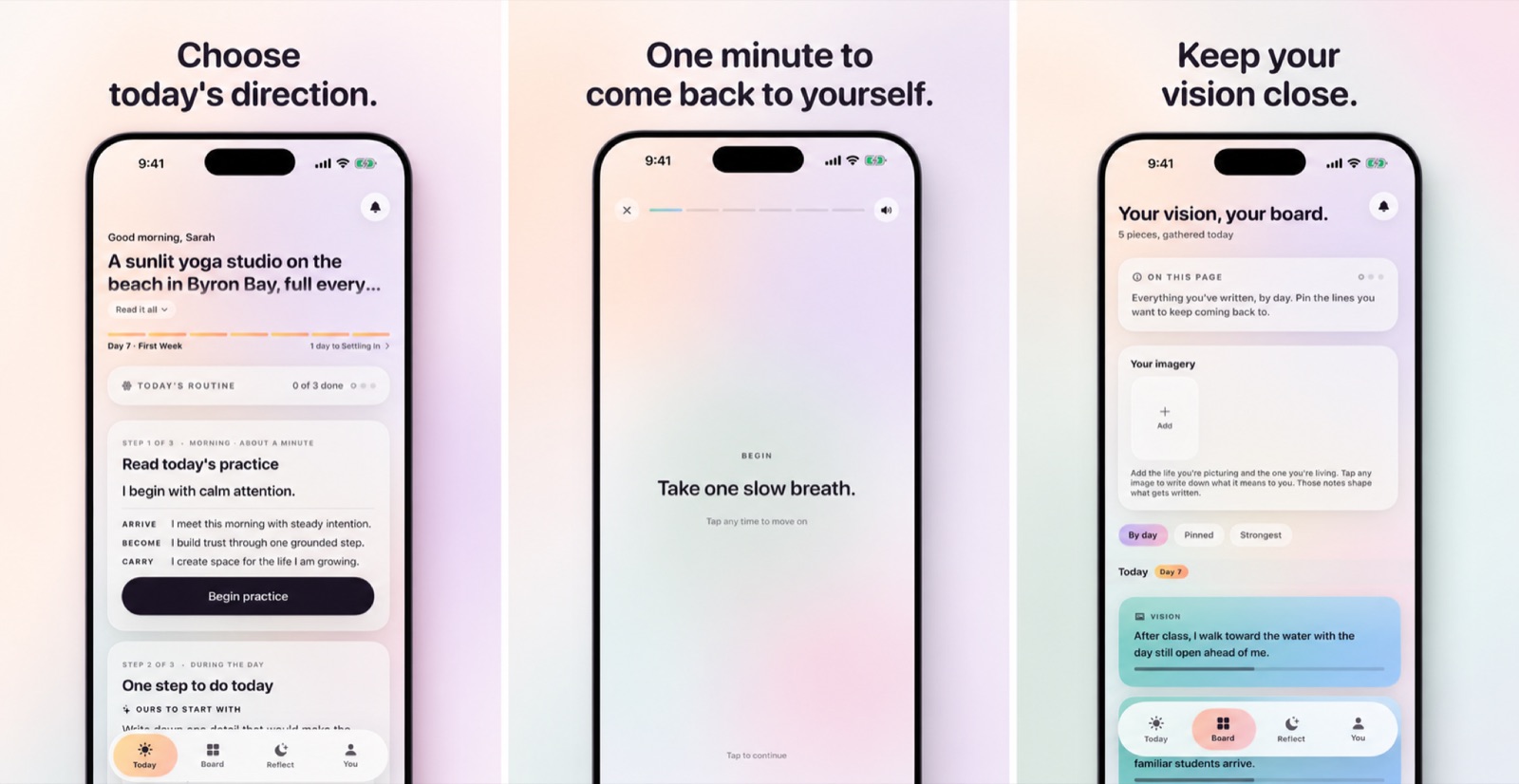
The short answer
A digital vision board lives on the device you already carry, which makes it far easier to revisit and update than a physical one. The trade-off is trust, because your goals, photos and reflections now sit inside a product with a business model, so the privacy questions matter before you commit.
What digital genuinely does better
The case for digital is not that it looks better. Physical boards often look better. The case is about frequency and proximity.
- Proximity to decisions
- A board on a wall is seen in the two moments you are least able to act, which are waking and sleeping. A board on a Lock Screen is present when a choice is actually in front of you.
- Frequency without effort
- You look at your phone dozens of times a day without deciding to. That is a distribution channel a corkboard cannot match.
- Editability
- Directions change. Updating a digital board takes seconds, which means it can stay accurate instead of becoming a record of a former self.
- Attachment to prompts
- A digital board can connect to reminders, a daily practice, a reflection log and evidence tracking. A collage cannot connect to anything.
- Privacy from the room
- Your goals are not on display to housemates, visitors or anyone on a video call. For some directions this is decisive.
The last point cuts both ways, and it is the pivot to the next section, since a digital board is private from the people in your house and considerably less private from the company that built it.
The privacy questions to ask before you commit
A digital vision board holds an unusually sensitive combination of photographs from your library, a written description of what you want, and, if the app includes journaling, an ongoing record of how your life is going. That is more revealing than most social media accounts.
Before you put a year of that into a product, get answers to these.
- Where are the photos stored? On the device, in the vendor's cloud, or in your own iCloud? All three are defensible; vagueness is not.
- Are photo images uploaded for AI features? Ask specifically about the image versus the caption. They are different answers and vendors often conflate them.
- What is sent when AI features are on? "Your information" is not an answer. You want the categories of text.
- Is writing used for advertising or model training? Two separate questions requiring two separate answers.
- Is analytics opt-in or opt-out? And does turning it off stop collection, or just stop reporting?
- Can you delete everything from inside the app? Without emailing support and without deleting the app itself.
- Does it require an account? An account means your content lives somewhere you do not control.
The full version of this, including what a good answer looks like for each, is in the private manifestation app checklist. Our own answers are in what actually leaves your phone.
Avoiding the endless collection trap
Digital boards have a specific failure mode that physical boards do not, which is infinite capacity. When adding an image costs nothing, collecting images becomes the activity, and collecting feels productive in exactly the way that acting does not.
You can spend a genuinely pleasant hour building a board and end the day having changed nothing. Worse, the pleasant hour supplies some of the emotional reward the actual work was supposed to provide, which is the outcome-fantasy problem in a new format.
Three constraints help. Set a hard limit of twelve to fifteen images, where adding a new one means removing an old one. Timebox the build to under two hours. And make the daily interaction a question rather than a browse, asking what this should change about today.
Three digital boards you can build for nothing
Before subscribing to anything, it is worth knowing that the core of a digital vision board is available on any iPhone with no purchase at all. Each of these takes under fifteen minutes.
- The wallpaper build
- Create an album in Photos containing your board images. Set it as a Lock Screen wallpaper with photo shuffle enabled. You now have a board that appears dozens of times a day at the moments decisions happen. Its limitations are no words, no practice and no record.
- The Freeform build
- Build the board as a Freeform canvas with images, text, arrows and sections. Screenshot it and set the screenshot as your wallpaper. You get the arranging value of a physical board plus digital visibility, and it syncs across your devices. Its limitation is that it is still a static image once captured.
- The Notes plus Reminders build
- Board images in a Note, one direction sentence at the top, and a recurring daily reminder containing today's line and step. Completion taps give you a rough behaviour log. Its limitations are that you write the line yourself and the review is entirely manual.
Run one of these for a fortnight. If you find yourself glancing and it changes something you do, a dedicated app will add adaptation and easier reflection on top of a habit that already exists. If you never glance, no subscription will fix that, and you will have saved yourself the money.
Why most digital boards still go stale
Being digital solves visibility. It does not solve relevance. A digital board you built in January is still a January board in June, and the fact that it is easy to edit does not mean you will edit it, because editing requires noticing that it has drifted, and drift is exactly the thing you do not notice.
This is the gap adaptive boards are built for, a board that changes in response to signals you are already producing (what you responded to, what you did, what you wrote) rather than waiting for you to decide it needs changing. See what is an adaptive vision board.
How to build one that survives
- Choose the surface first, whether a widget, a Lock Screen wallpaper, or an app you open daily. Pick where your day actually happens.
- Use your own photographs. Recognition beats aspiration, and it also keeps images out of a third-party cloud.
- Cap it at twelve to fifteen images, with the environment and routine included, not only the prize.
- Add one process sentence and one reason sentence in language you actually believe.
- Attach one daily action with a trigger in the form when X, then Y.
- Set a monthly review to remove what is stale and add evidence of what happened.
If you want the ritual of making something physical, do both by building the physical board, photographing it, and use the photograph as your digital surface. You get the making, and you get the board in the places where decisions occur. Digital vs physical covers when each wins.
Common questions
What is the best app for a digital vision board?
It depends on whether you want a collage tool, an image generator or a daily practice. We publish a comparison framework, and we disclose that we make one of the apps in this category.
Can I use the Photos app or Freeform instead?
Yes, and for many people that is the right answer. An album set as a Lock Screen wallpaper shuffle is a genuinely functional digital vision board with no subscription attached.
Are AI-generated vision board images a good idea?
They are striking, and they require sending a description of your private hopes to an image model. They also replace the recognition value of a real photograph with something generically attractive.
Do digital boards work as well as physical ones?
They are seen far more often, which usually matters more than the ritual of making one. The physical board wins on tactile engagement and on not living inside a device full of competing demands.
How many photos should a digital vision board have?
Twelve to fifteen. The infinite capacity is the trap, because when adding an image costs nothing, collecting becomes the activity and it feels productive in exactly the way acting does not.
Should I back up my vision board to the cloud?
It is a trade. A backup in your own iCloud account is generally a better position than a vendor's cloud, and it is still a copy off your device. Decide it deliberately rather than by accepting a default.
Where should I put a digital vision board?
Wherever you look without deciding to, whether that is the Lock Screen, a Home Screen widget, or a watch face. A board buried in an app folder is a physical board with extra steps.
For iPhone and Apple Watch
Keep your vision close.
Become it daily.
MyDirection is a paid subscription with a 3-day free trial. Cancel any time before the trial ends and you are not charged.
See pricing and trial